In 2024, after an eco-design training session with Temesis (opens in new window), we hacked together a small Python script to answer a question our clients were asking more and more often: to make an image lighter, what matters most, the resolution, the compression rate or the format? We put out some curves and shared the code, warning that we weren’t compression experts. We even wondered whether we were comparing apples and oranges.
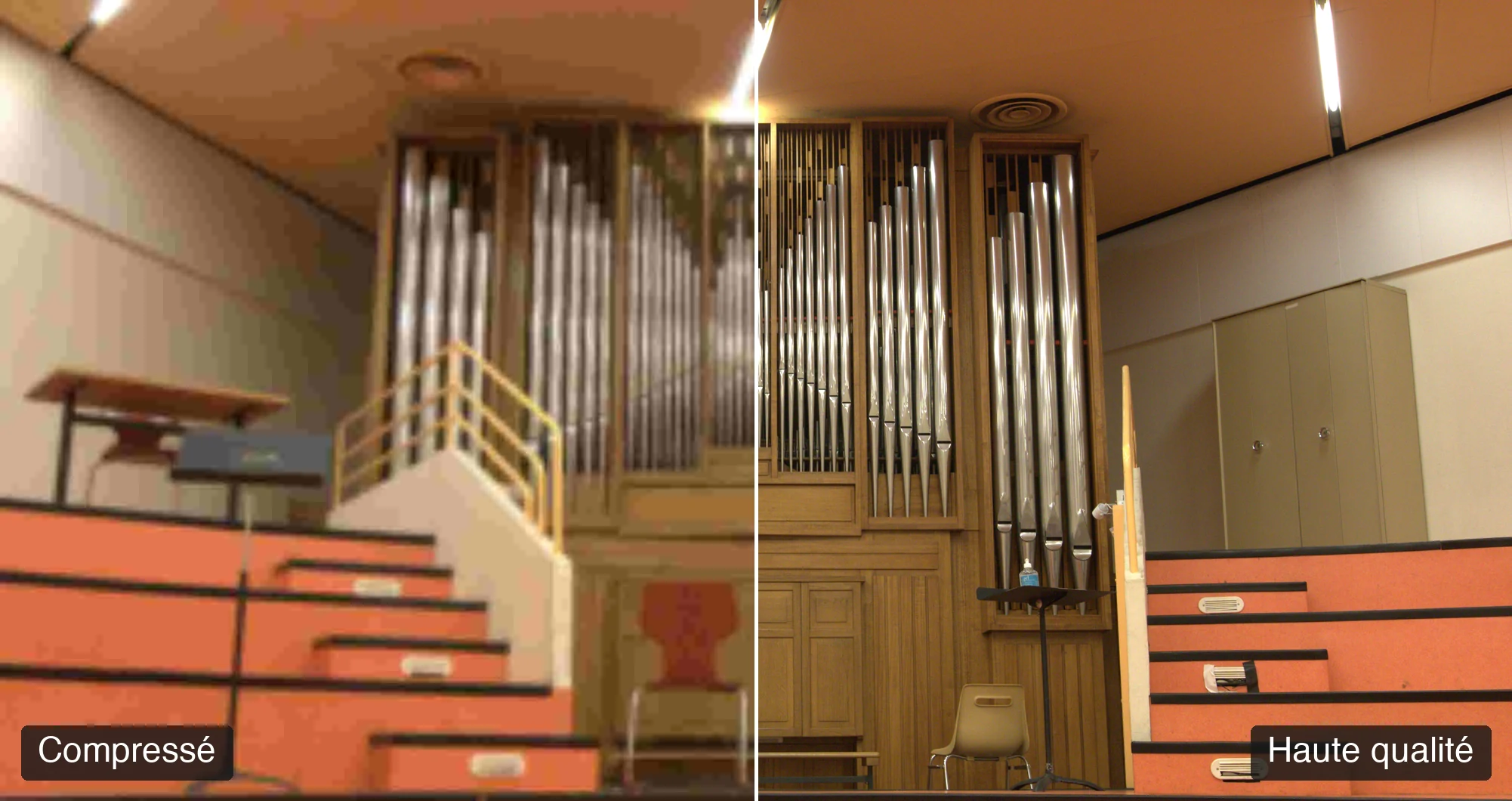
We ran the test again, this time with a measure of perceived quality, the one that tells you whether the eye can see the difference from the original. For a photo, the best balance between quality and file size comes from JPEG XL at distance 0.7 (this encoder’s quality setting), on an image reduced to 40% of the size it is displayed at, then enlarged by the browser. AVIF comes just behind, but WebP produces larger files than JPEG as soon as you aim for high quality. And at acceptable or high quality, lowering the resolution cuts file size as much as changing format, sometimes more.
Why run the test again
The 2024 script encoded the images and measured their size correctly. It compared formats all set to “quality 80”, in the belief that we were comparing them at equal quality. Except that this 80 doesn’t mean the same thing from one format to another.
A JPEG at “quality 80” and a WebP at “quality 80” don’t give two images of equivalent quality, because this 80 is a scale internal to each encoder, a bit like two marks out of 20 worked out with different marking schemes. The two settings just carry the same number.
And we only looked at file size. A file half the size that smudges all over is still a damaged image: without a measure of what the eye sees, we could say a format made things “smaller”, never that it made them “better”. All on a handful of photos, far too few to generalise anything.
How we went about it this time
We started again from raw photos. Our internal photo library holds 15,314 RAW files accumulated since 2016. We drew 10 at random, one per year from 2016 to 2025. The random generator is fixed, so the same draw can be replayed. Above all, we didn’t pick photos that suit our conclusions.
Each RAW is decoded only once into an uncompressed image. That image serves both as the starting point for the encodings and as the original against which the damage is measured. Then we crossed everything: 4 formats (JPEG, WebP, AVIF, JPEG XL), 6 resolutions (10, 25, 40, 55, 75 and 100%) and 5 or 6 compression settings per format (6 for JPEG, 5 for the others). That makes 1,260 encodings. The encoder settings are written down in black and white, so that someone else can run the same thing again and get the same numbers.
The difference from 2024 is the perceived quality measure. It’s called SSIMULACRA2, and Jon Sneyers developed it at Cloudinary in 2022 (he is also one of the authors of JPEG XL). It is calibrated on human judgements. Its score goes up to 90 and above when the difference from the original becomes invisible. A score of 70 corresponds to good quality and 50 to medium quality. A heavily degraded image can drop below zero.
So we stopped comparing “at equal setting”. For each encoding we record its file size and its perceived quality, then we look, for a target quality level, at which format gives the lightest file. As our settings rarely land exactly on the target score, we interpolate, for each photo, between the two best trade-offs on either side of it, then take the median of the 10 photos. That’s the question we wanted to ask in 2024.
AVIF and JPEG XL ahead, WebP disappointing at high quality
Each curve is a format’s frontier: the best quality it reaches for a given file size. The star marks its sweet spot, the point beyond which each extra KB adds almost no quality.
View the data
| Format | Sweet spot | File size | Quality | File size for quality 70 |
|---|---|---|---|---|
| JPEG | q90, 40% | 463 KB | 66 | 700 KB |
| WEBP | q100, 40% | 946 KB | 72 | 773 KB |
| AVIF | q85, 40% | 354 KB | 65 | 586 KB |
| JPEG XL | d1, 40% | 369 KB | 67 | 435 KB |
Here is the file size needed to reach each quality level (median of the 10 photos), when we also allow ourselves to play with the resolution. Note that these KB are for the whole photo, 15 to 24 million pixels (6,024 × 4,020 for most of them). An image displayed smaller on a web page is much smaller, so we advise you to look at the gaps between formats rather than at the KB themselves.
| Target quality | JPEG | WebP | AVIF | JPEG XL |
|---|---|---|---|---|
| Acceptable (score 60) | 361 KB | 349 KB | 245 KB | 257 KB |
| High (score 70) | 700 KB | 773 KB | 586 KB | 435 KB |
| Very high (score 80) | 2202 KB | 2554 KB | 1931 KB | 1395 KB |
AVIF and JPEG XL do clearly better than JPEG and WebP. Between the two, AVIF wins when you’re trying to cut file size hard, and JPEG XL pulls ahead as soon as you move up to high quality. At score 70, switching from JPEG to JPEG XL cuts file size by nearly 40%, as a median over our 10 photos.
WebP surprised us. We imagined it ahead of JPEG everywhere. It only clearly beats it at low quality (files a quarter smaller around score 40), draws level around 60 and 65, then produces larger files than JPEG from 70 upwards. For light web images, it remains a good choice: it’s the modern format best supported by browsers, but at high fidelity AVIF and JPEG XL do better.
Resolution or compression?
That was the starting question, the one we couldn’t find an answer to in the literature in 2024. And the answer is that it depends on the quality level you want to get.
Before reading the charts, you need to know that the percentages are relative to the display size. We resized each photo, then looked at it enlarged to its original size, like a browser stretching a small image into a large frame. So “55%” means encoding at 55% of the size the image will be displayed at.
For each format, here is the score obtained by compression setting, with one curve per encoding resolution. You can read both settings at once: following a curve means pushing the compression, moving from one curve to another means changing the resolution.
View the data
| Resolution | quality 30 | quality 50 | quality 65 | quality 80 | quality 90 | quality 95 |
|---|---|---|---|---|---|---|
| 10% | -38 | -27 | -20 | -12 | -3 | 2 |
| 25% | -1 | 14 | 24 | 37 | 49 | 55 |
| 40% | 22 | 39 | 48 | 58 | 66 | 71 |
| 55% | 34 | 50 | 57 | 65 | 72 | 76 |
| 75% | 42 | 56 | 62 | 70 | 77 | 81 |
| 100% | 41 | 59 | 67 | 77 | 83 | 87 |
View the data
| Resolution | quality 45 | quality 65 | quality 80 | quality 90 | quality 100 |
|---|---|---|---|---|---|
| 10% | -31 | -23 | -15 | -2 | 6 |
| 25% | 2 | 10 | 28 | 48 | 59 |
| 40% | 21 | 33 | 45 | 59 | 72 |
| 55% | 33 | 43 | 54 | 64 | 78 |
| 75% | 43 | 53 | 60 | 72 | 83 |
| 100% | 53 | 59 | 66 | 79 | 88 |
View the data
| Resolution | quality 40 | quality 55 | quality 70 | quality 85 | quality 95 |
|---|---|---|---|---|---|
| 10% | -31 | -15 | -5 | 2 | 6 |
| 25% | 10 | 27 | 42 | 53 | 61 |
| 40% | 29 | 48 | 58 | 65 | 73 |
| 55% | 42 | 57 | 63 | 72 | 79 |
| 75% | 53 | 62 | 70 | 78 | 84 |
| 100% | 60 | 69 | 77 | 84 | 89 |
View the data
| Resolution | distance 0.7 | distance 1 | distance 1.5 | distance 2.5 | distance 4 |
|---|---|---|---|---|---|
| 10% | 5 | 1 | -4 | -13 | -24 |
| 25% | 57 | 51 | 43 | 26 | 15 |
| 40% | 71 | 67 | 62 | 50 | 36 |
| 55% | 77 | 73 | 68 | 61 | 50 |
| 75% | 82 | 79 | 74 | 65 | 60 |
| 100% | 87 | 84 | 81 | 73 | 64 |
The lower the resolution, the lower the best score you can reach, in steps. At full resolution, it rises to around 87 to 89 depending on the format. At 40% of display size, it tops out between 71 and 74, which is still enough for high quality, but very high quality (score 80) requires keeping at least 75%. Below 25%, the image collapses. The charts give each step, format by format.
View the data
| Format (KB) | 10% | 25% | 40% | 55% | 75% | 100% |
|---|---|---|---|---|---|---|
| JPEG | 56 | 311 | 744 | 1406 | 2772 | 5038 |
| WEBP | 57 | 339 | 946 | 1880 | 3565 | 6644 |
| AVIF | 53 | 311 | 855 | 1738 | 3290 | 6147 |
| JPEG XL | 42 | 215 | 527 | 1031 | 1789 | 3092 |
That leaves the question of what pays off most, lowering the resolution or pushing the compression. We compared, at identical perceived quality, the file size when you keep full definition and the file size when you accept lowering it.
| Format | Acceptable quality | High quality | Very high quality |
|---|---|---|---|
| JPEG | −48% | −38% | −2% |
| WebP | −27% | −35% | −19% |
| AVIF | −15% | −17% | −7% |
| JPEG XL | −42% | −28% | −2% |
At acceptable or high quality, resizing saves a lot, especially with JPEG: almost half the file size at acceptable quality. At very high quality, the saving drops to a few per cent (except for WebP), because at that level of demand you need every pixel. So on a thumbnail or an illustration image, start with the resolution. On a photo you want to look good at a large size, work on the format and the compression.
The best balance between quality and file size
Across all combinations, there’s no absolute optimum, since each added KB still buys a little more quality. The curve does have a knee, though. On our measurements, it falls on JPEG XL at distance 0.7, encoded at 40% of display size: 527 KB for the whole photo, with a score of 71, just above the high-quality threshold. Beyond it, doubling the file size earns almost half as many points as before.
We found this knee with the same method as the stars in the first chart, on the frontier shared by the four formats. Above score 50, this frontier is made up only of AVIF and JPEG XL: JPEG and WebP never appear on it.
View the data
| Format | Setting | Resolution | File size (KB) | Score |
|---|---|---|---|---|
| AVIF | quality 55 | 55% | 168 | 57 |
| AVIF | quality 70 | 40% | 177 | 58 |
| JPEG XL | distance 1.5 | 40% | 237 | 62 |
| JPEG XL | distance 1 | 40% | 369 | 67 |
| JPEG XL (knee) | distance 0.7 | 40% | 527 | 71 |
| JPEG XL | distance 0.7 | 55% | 1031 | 77 |
| JPEG XL | distance 1.5 | 100% | 1420 | 81 |
| JPEG XL | distance 1 | 100% | 2092 | 84 |
| JPEG XL | distance 0.7 | 100% | 3092 | 87 |
| AVIF | quality 95 | 100% | 6147 | 89 |
| File size range | Points gained when doubling the file size |
|---|---|
| From 168 to 527 KB (before the knee) | +8.7 |
| From 527 to 6147 KB (after the knee) | +4.9 |
The lightest combination for each quality level
For each quality level and each format, here is the lightest combination of resolution and setting among those we tested, as a median of the 10 photos for each combination. JPEG XL wins at every level. The table at the start puts AVIF ahead at acceptable quality because it interpolates between two tested settings, whereas this one only keeps settings you can apply as they are.
| Target quality | Format | Setting | Resolution | File size | Score obtained |
|---|---|---|---|---|---|
| Acceptable (score 60) | JPEG XL | distance 2.5 | 55% | 231 KB | 61 |
| Acceptable (score 60) | AVIF | quality 55 | 75% | 293 KB | 62 |
| Acceptable (score 60) | JPEG | quality 90 | 40% | 463 KB | 66 |
| Acceptable (score 60) | WebP | quality 90 | 55% | 598 KB | 64 |
| High (score 70) | JPEG XL | distance 0.7 | 40% | 527 KB | 71 |
| High (score 70) | AVIF | quality 85 | 55% | 737 KB | 72 |
| High (score 70) | JPEG | quality 95 | 40% | 744 KB | 71 |
| High (score 70) | WebP | quality 100 | 40% | 946 KB | 72 |
| Very high (score 80) | JPEG XL | distance 1.5 | 100% | 1420 KB | 81 |
| Very high (score 80) | JPEG | quality 95 | 75% | 2772 KB | 81 |
| Very high (score 80) | AVIF | quality 85 | 100% | 2850 KB | 84 |
| Very high (score 80) | WebP | quality 100 | 75% | 3565 KB | 83 |
Why some photos produce larger files than others
We also wondered what, in a photo, predicts its file size. Our intuition said the histogram, the distribution of tones. We checked it on all four formats.
View the data
| Codec | Photos (n) | Spearman correlation (detail / file size) |
|---|---|---|
| JPEG | 10 | +0.96 |
| WEBP | 10 | +0.95 |
| AVIF | 9 | +0.93 |
| JPEG XL | 6 | +0.89 |
The histogram is a poor predictor of file size. Its link with file size varies a lot from one format to another (Spearman correlation from 0.14 to 0.66). The amount of detail, measured by edge density, predicts it much better, with a correlation of 0.89 to 0.96 depending on the format: the more an image teems with fine textures (foliage, crowds), the larger its file at equal quality. A sky or a portrait on a blurred background compresses much better, whatever the shape of its histogram.
Not all these figures are based on 10 photos. We only have 6 for JPEG XL and 9 for AVIF, because the least detailed photos already exceed score 70 at the most compressed setting we tested: we can’t measure their file size at that score. But to guess whether an image will make a large file, we look at its texture rather than its histogram.
The limits of the test
Our 10 photos come from three Canon cameras: two DSLRs (EOS 80D and EOS 500D) and a compact (PowerShot G1 X Mark III). The corpus is homogeneous, so easy to reproduce, but it says nothing about screenshots, flat-colour illustrations or images containing text, which compress very differently. For those, you’d need a dedicated corpus.
SSIMULACRA2 remains an automatic measure: it lets us rank 1,260 encodings, but it doesn’t replace a look at the final image. Our figures also depend on the encoders, their versions and the settings we fixed: other parameters would shift the curves. Finally, our settings top out around score 90, so we don’t measure the “strictly indistinguishable”, which costs even more and which you rarely aim for on the web.
For your own images
Use AVIF or JPEG XL as soon as your audience’s browsers allow it, with WebP as a fallback. Before even choosing the format, resize to the actual display size: it’s the simplest and biggest saving at acceptable or high quality. And match your requirement to the use: a background image doesn’t need near-lossless, which is the heaviest level in our measurements.
We’ve packaged it all up so you can test it yourself, as is, like the first time. There’s no reason it should break anything on your side, but if it did, you’re grown-ups and responsible for it. And if you think we’re still comparing apples and oranges, write to us and we’ll adjust.
This article was written with the help of AI, under the supervision of the team (see our AI use statement).