



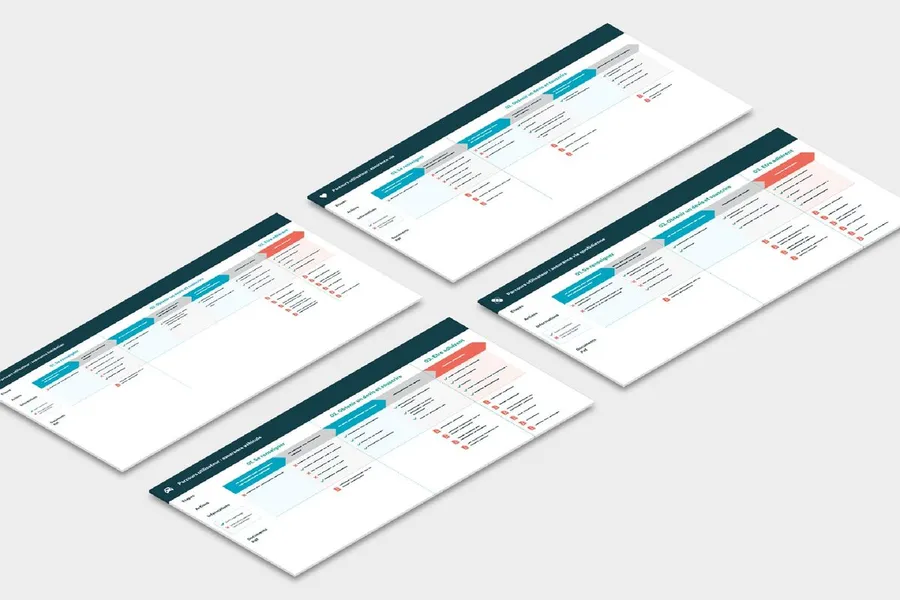
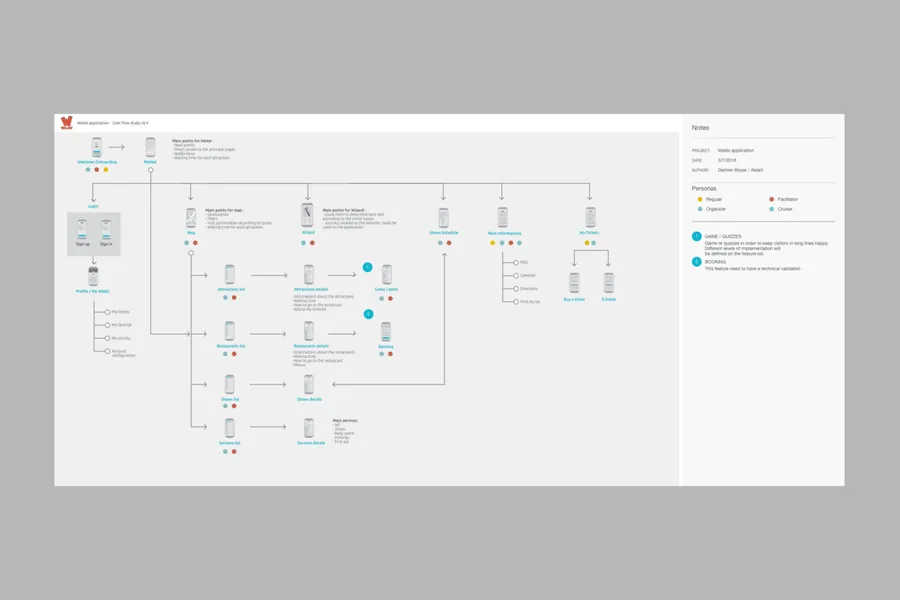
When going through a site or an app, a user can take different paths. The user flow is a visual representation that models the paths possible across the various screens and steps. It surfaces the specific navigation needs of different user profiles. The representation starts from an entry point (such as a site's home page, the tutorial part of a mobile app, and so on) all the way to the final action (a purchase, the creation of an account).
01
Knowing the goals and needs of the target users, and the possible blockers along the journey (interview data, user-testing data)
02
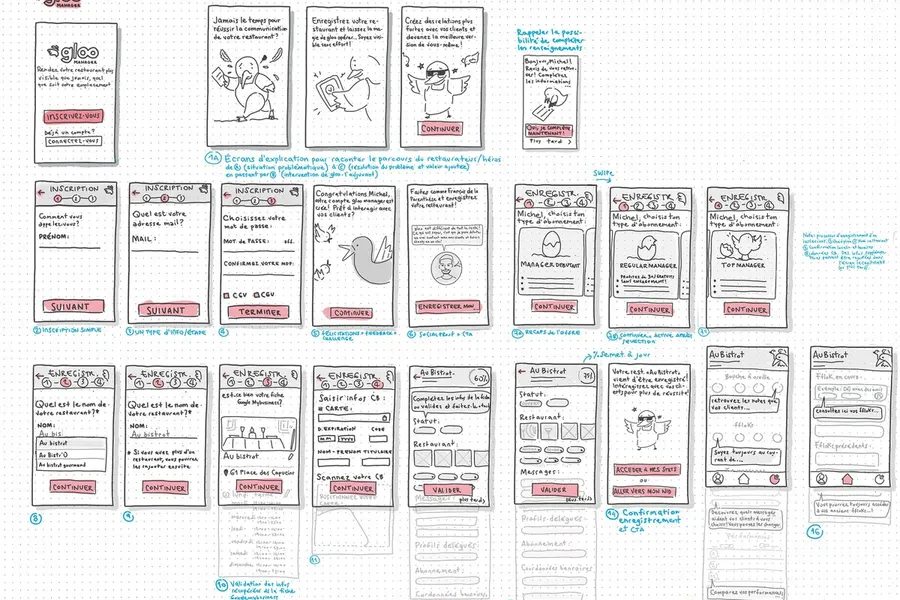
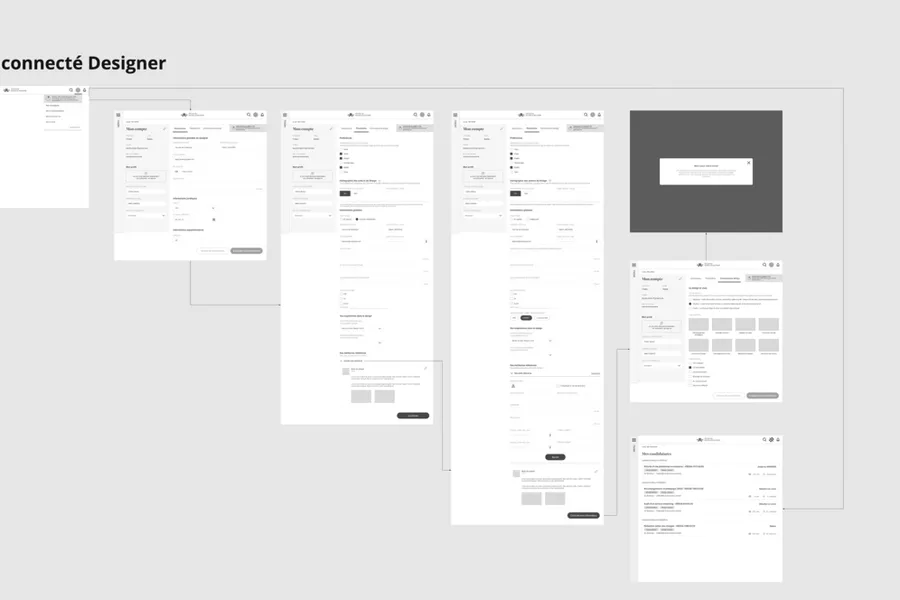
Building the user flow skeleton by mapping the journey (screenshots if an interface already exists, or wireframe mockups if newly created)
03
For each step of the journey, detailing what the user must do to complete the action and the options open to them
04
Testing and optimising based on the navigation scenarios identified
1/ We design the interfaces in greyscale (without visuals) to work on the placement of information (low-fidelity mockups): wireframes.
2/ We run user tests in the street using a prototype.
3/ An iteration workshop is held to gather your feedback.
4/ We consolidate the screens based on the feedback.
A user flow is a schematic representation of the paths a user can take to accomplish a task in a digital product. It maps the decisions, the pages or screens gone through, the actions performed and the possible exits at each step. It is a design tool that helps ensure that all use cases are covered, including alternative paths and error cases.
The user flow is a top-down view of the product: it shows how screens follow one another and which decisions guide navigation. The wireframe is a front-on view: it shows what a specific screen contains. You generally design the user flows before the wireframes to make sure the navigation logic is consistent, then you detail each screen through the wireframes.
You start by defining the user's objective (e.g. « completing an order »), then you list all the necessary steps and the possible decisions at each step (with and without an account, payment accepted or refused, etc.). You represent these steps as a diagram with rectangles for the screens, diamonds for the decisions and arrows for the transitions. Tools like Figma, Miro or FigJam let you create these diagrams quickly.
Before mockup work. User flows are a tool for designing the navigation logic, not the interface. They let you detect missing or inconsistent paths before investing in the detailed design of the screens. They are also useful for aligning the technical team on the structure of the product and for making sure that edge cases (error, empty state, logged-out user) are anticipated.
By submitting it to users during a conceptual test: you show them the diagram and ask them to describe how they would accomplish a given task. You can also create a clickable prototype from the wireframes that follow the flow and observe whether users take the planned paths or whether they look for shortcuts or unanticipated alternatives. Deviations from the planned flow are priority signals for improvement.


Based on collective intelligence, these workshops surface solutions with the project team and/or the end users.
Read more about Co-design workshopA site map of a website or app reflects the hierarchical, logical way its pages and features are organised. Proposing a sound site map means choosing a categorisation that fits the mental model users already have.
Read more about Site mapBreaking a process down into steps to bring out user needs and expectations for a given goal.
Read more about User journeyEveryone talks about user experience, service design, ergonomics...
It's not always clear, and you'd like to find out, or sharpen what you already know.