The arrival of the Tobii Pro Glasses 2
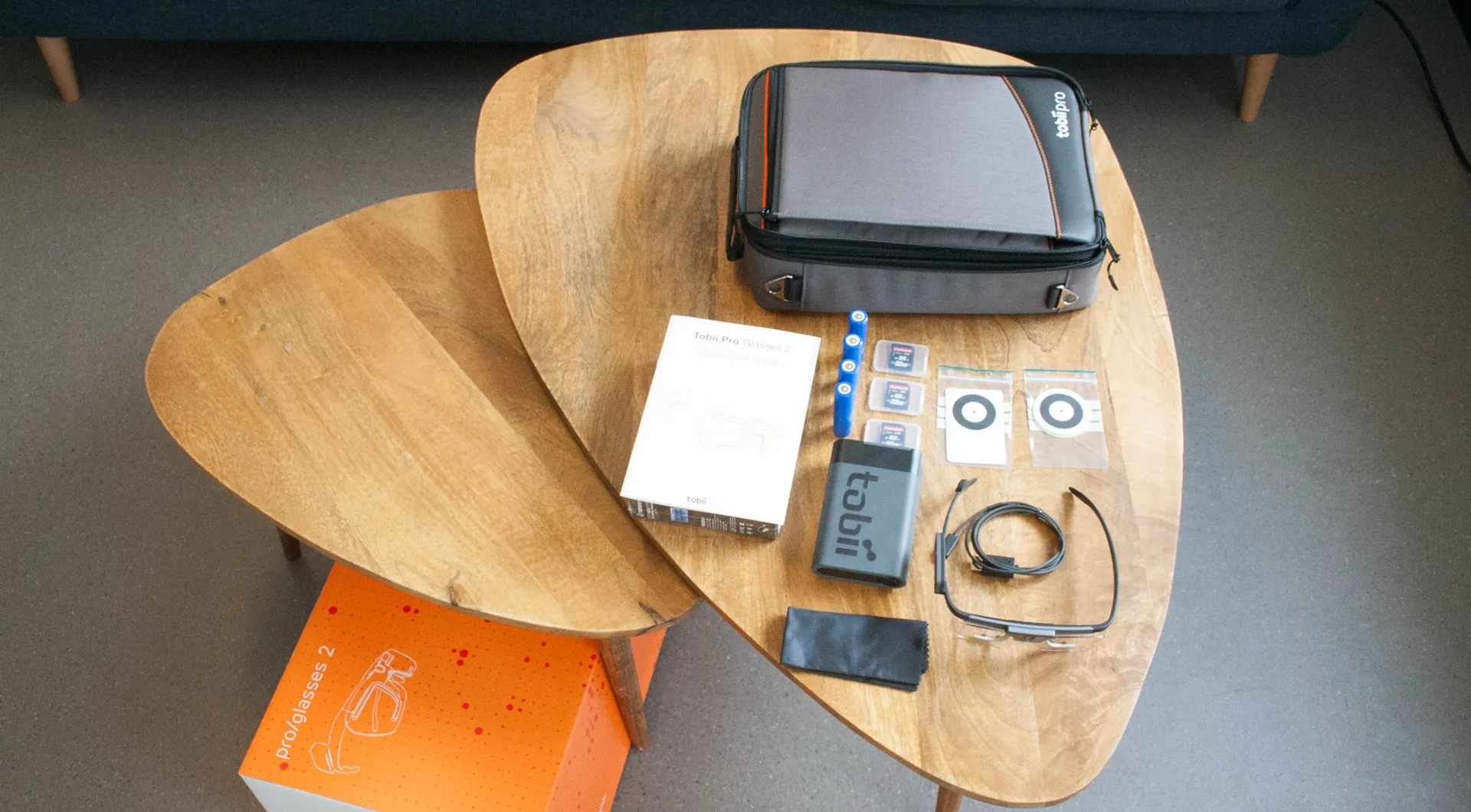
The Glasses arrive in an ultra-light carrying case. It includes, among other things, the glasses and their accessories, two pairs of lenses (one tinted, the other not), four nose pads and an eyewear cord, the recording unit, three 32GB SD cards (which can record more than 10h of video!), four batteries giving up to 1h45 of running time, and a calibration card. A box of accessories containing all the cables, adapters and chargers came with the case. First point of comparison with the previous Glasses: gone is the very heavy suitcase, and gone are the two lighter but equally cumbersome ones. The new case is a genuine pleasure to carry, it’s so light.
The glasses, which now sample at 50 Hz (it’s actually a software cap, a paid option lets you take them up to 100 Hz), need to be connected to the recording unit via an HDMI cable (provided). Recording is done on the SD card inserted in the recording unit. Another long-awaited new feature: tracking is now binocular. Eye-tracking enthusiasts will see plenty of upsides here, in accuracy, in reliability and in finally accounting for vergence.
The software
While the battery needed to run the recording unit was charging, we installed the two pieces of software needed to run the Glasses: Tobii Controller, the software that controls the eye tracker, and Tobii Analyzer (opens in new window), which makes it possible to analyse the collected data. Both of these require installation on a PC (no Mac, then, too bad for us Apple fans…). The connection between the recording unit and the PC is made over an ad-hoc Wi-Fi network created by the recording unit. Or via a wired Ethernet connection. While things generally go smoothly, we ran into a number of problematic situations. We had to restart our PC and/or the recording unit. It’s hard to say from our perspective whether the problem comes from our hardware (Microsoft Surface 4) or from the eye tracker itself. Restarting the Surface and/or the recording unit has so far always solved these problems.
The Mario Kart experiment
First recording
Once the battery was charged, the software installed and the few components of the setup assembled, we were ready for our first recording. What better for that than a Mario Kart race?
So we launched Tobii Controller, created a new recording, a new participant and started the calibration phase. It’s not only very easy but also almost instantaneous (and can be done as auto-calibration!). All you have to do is stare at a target held between 50 and 150 cm from your eyes for a very short moment and press the “Calibrate” button in Tobii Controller.
Two things are worth noting about the calibration. First, once the calibration is done, you can move the glasses very slightly without the results being affected. Because an automatic readjustment is performed thanks to the movement information recorded by the built-in gyroscope and accelerometer. Second, just like the previous model, calibration can be trickier when the Glasses are used on top of prescription glasses, especially progressive lenses. Obviously, when the frame of the prescription glasses blocks the cameras filming the pupil, the problem is understandable. But other situations where this clearly isn’t the case also cause trouble.
The recording
With the calibration finally done, we were able to start the recording using Tobii Controller. It lets you pause and stop the recording, and on top of that offers a live view of what the Glasses’ front-facing camera is filming. Finally, it keeps a record of all the studies, participants and recordings. So you need to have a PC nearby to start and stop the recordings. During the recording, however, there’s no problem moving away and switching off the PC in question. You just have to restart the control software when it’s time to stop the recording.
While this isn’t a major problem, it’s still an operating constraint. If at start-up it’s explained by the calibration phase, for which the “intelligence” may have been moved off the recording unit onto the PC with all its computing power (image-recognition calibration is demanding!), for stopping the recording it seems far less understandable, and we’d have liked to be able to stop a recording directly from the recording unit, without going back through the PC.
Discovering the analysis software
Once the race was over, we stopped the recording then switched off the recording unit to remove the SD card. It’s important to note here that an SD port or an adapter is needed to transfer the data to a computer. Next you have to create a new project in Tobii Analyzer. Then import the sequence and a photo of the TV screen on which the race took place.
At this point you can’t help wishing you could transfer the data straight from the recording unit to the computer. Especially since there’s already a USB port for power and charging, which makes the choice a very questionable one. Also, the system to switch the recording unit on and off uses a small touch surface. Its usability is curious too: not only does it not always work the way you’d like, but the area also changes colour depending on the state (off or not). So to switch the recording unit off, you have to keep pressing the button until it turns red. Yes, yes, you have to wait for the button, which your finger is on, to change colour, under your finger, in order to remove said finger.
Real world mapping
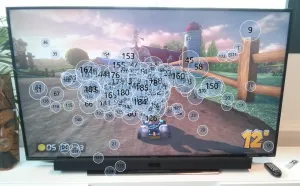
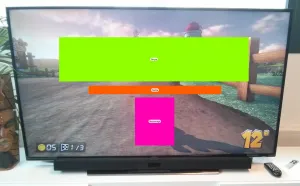
We were then able to look at Tobii Analyzer’s flagship feature, namely real-world mapping. This feature already existed with the previous generation of Glasses. But in a far more constrained form: it required the use of infrared markers that you’d place in the study environment. The aim was to aggregate the data of all subjects onto a photo of the environment in question. We have fond memories of sticking and peeling off markers, which would start blinking red in the middle of the experiment, which would peel off, which we’d lose… In short, having to manage them was part of the Glasses adventure. All that’s over now! Through image-recognition techniques, the software recognises the scene captured in a photo within the Glasses’ video and positions the gaze data on it (the famous mapping).
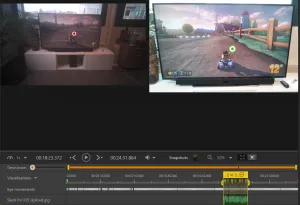
This is a long-standing promise from our friends at Tobii. And while we have to admit we complained a lot about not seeing it appear sooner, this feature was well worth the wait. The mapping is accurate, robust and the results are generally very surprising. We put the feature through several intensive tests that we’ll present briefly later on to give you an idea. While the results aren’t always perfect, we were very often blown away. A confidence index on the quality of the automatic mapping lets you very quickly get a sense of how usable the data is, and it’s also possible to do this mapping by hand on all or part of the video. But at 50 samples per second, you’d better be patient.
The improvements on Tobii Pro Glasses 2
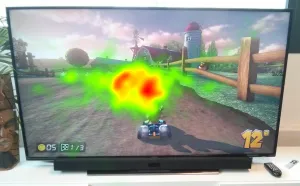
Once the mapping is done, Tobii Analyzer offers the manufacturer’s standard visualisation features. For example: heat maps and “gaze plots” from raw or filtered data, areas of interest. A welcome new feature: the fixation-detection algorithms are now usable and customisable. Finally, gone is the “statistics” module from Tobii Studio. The data can be exported for statistical processing in software that’s far better suited to it. This could be seen as a step backwards, but we think it’s much better! In general, the improvements over Tobii Studio are undeniable. And we’re absolutely delighted not to have to use it any more to process our Glasses data. We’d long since stopped doing anything with it but exporting the data to crunch it our own way. And since we’re polite and don’t hold grudges, we won’t say another bad word about Tobii Studio.
Our impressions of the Tobii Pro Glasses 2
The setup
The functional setup (at a minimum the pair of glasses, the recording unit and the cable connecting them) is generally light and lets you move around without difficulty once you’ve positioned the cable correctly. The recording unit weighs less than 500g; it can be clipped to a belt but would benefit from a shoulder strap. While the new Tobii Pro Glasses 2 are also extremely light, they don’t quite let you forget them: the frame of infrared diodes essential to pupil detection sits within the field of vision and disrupts it slightly. Nothing too problematic, but worth pointing out. The frames are a little bothersome at first for those who aren’t used to wearing glasses, but you get used to it fairly quickly, and several sizes of nose pad are available to position the glasses correctly and keep them from slipping.

What we liked
- Special mention for the real-world mapping, impressively effective.
- We also really appreciated how simple the whole thing is to set up.
- Calibration is very fast and effective most of the time.
- The use of the gyroscope/accelerometer to allow repositioning the glasses during a recording, and to compute the saccades/fixations.
- The live view, very handy for recordings in operational settings.
- The recording capacity of the memory cards. As for battery life, it’s improving, but it’s not there yet.
What we liked less
- A small reservation about the on/off system of the recording unit, which isn’t clear and regularly gives us a hard time.
- Some difficulty establishing communication with the tablet, perhaps due to the Surface Pro 4 we used?
Conclusion on the Tobii Pro Glasses 2
Being the big eye-tracking fans that we are, we had a great time exploring the Tobii Pro Glasses 2 in depth. It’s not the ultimate system yet, we ran into a few difficulties with operation and calibration, but on the whole, these glasses are a radical step up from the previous model. There’s still room for improvement, but as it stands, the ease of setup and the power of the mapping tools make it a tool that seems very effective to us for now. We’ll come back to you to tell you more once we have more perspective and practice with the tool, in a few months!