Why use the User Centered Design Canvas?
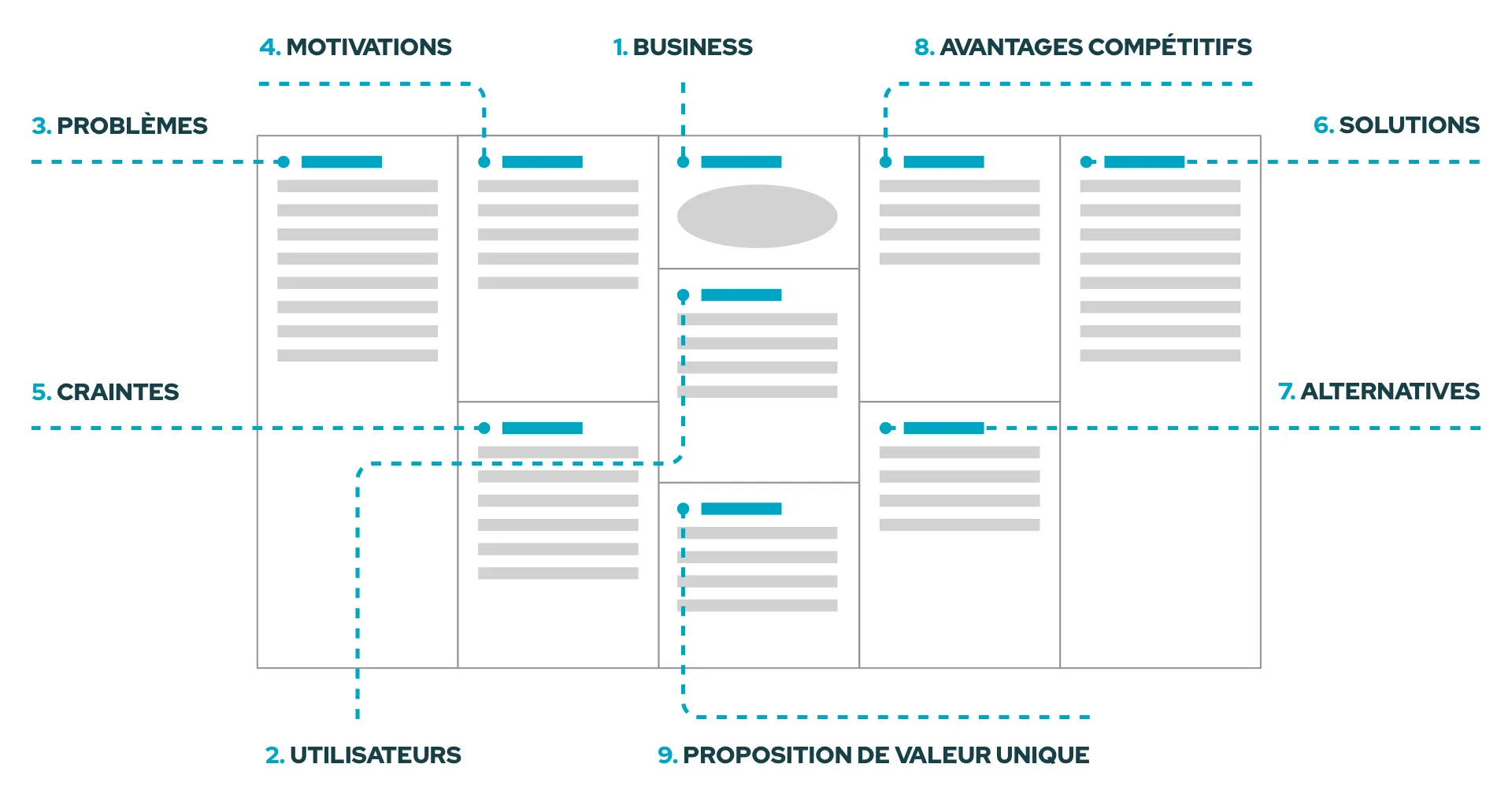
Created by Alina Prelicz-Zawadzka and Leszek Zawadzki, the UCDC is a tool that helps define and analyse user needs while bringing this data together with the company’s marketing goals. The aim of the exercise is to create a unique value proposition that brings together the user and the business.
The UCDC is inspired by the Business Canvas and the Lean Canvas and follows a similar structure. In this model, you find the definition of the company and the target users in the centre. The left side focuses on the different user data, and the right side looks at the business. Finally, the unique value proposition sits at the very bottom in the centre of the canvas.
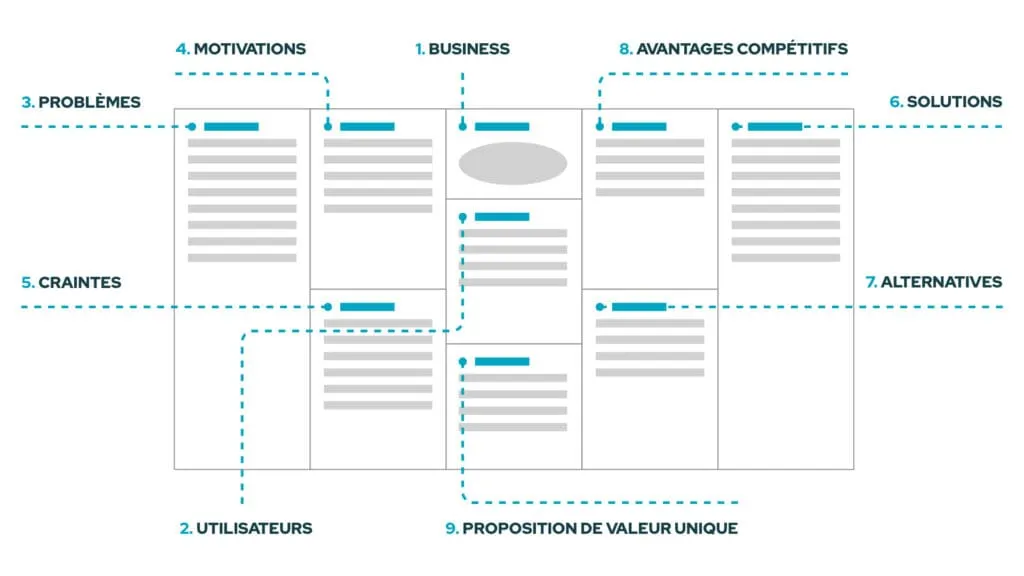
As with any model, the main benefit of the User Centered Design Canvas is to frame your thinking. We talked about that recently in our article on user journeys. By listing the categories to fill in, this UX tool lets you, in theory, not forget anything in your thinking.
How do you use the User Centered Design Canvas?
To get the most out of this tool, you have to follow a specific order, which we’ll detail next. Follow the guide.
1. Business 💼
You start by writing a brief description of the company or the solution being considered.
Why? It helps to keep in mind the DNA of the company or the values carried by the brand, for example.
2. Target users 🕺
Define the potential and existing target users.
Why? It’s important to know who you’re speaking to and to leave no one out.
3. User problems 😡
Describe the problems the user encounters in relation to your future solution.
Why? The idea here is to understand why the user will use your product or service to address given problems. Identifying these problems lets you adapt the solution being considered while staying within a user-centred design approach.
4. User motivations 💪
Describe the motivations that would push the user to use the product or service on offer.
Why? This lets you name the emotions felt by the user and to better understand how your product or service aligns with them. Behaviour isn’t always rational, and it’s important to take this emotional aspect into account. Why would the user go for your solution rather than another? What motivates them consciously and unconsciously?
5. User fears 🥶
Describe the fears and doubts users may feel when they go to use your product or service.
Why? Be careful, you have to clearly distinguish between the problems users currently encounter (section 3) and their fears about their future use of the proposed solution. Here we want to put ourselves in the user’s shoes and understand what could bother them or hold them back in their future use.
6. Business solutions 🤩
Describe the existing solutions, or the ones to plan for, to address the user problems identified in section 3.
Why? To design the best possible user experience, you have to bring solutions to the pain points users come across.
7. Business alternatives 🧐
Describe what the user can use as an alternative product or service instead of yours to meet their needs.
Why? The aim here is to list the potential competitors but also existing practices that aren’t necessarily a product or a service.
8. Business advantages 👍
Describe the characteristics and features that set your solution apart from your competitors’.
Why? As well as bringing solutions to the problems users come across in section 6, this part lets you position your product or service against your competitors.
9. Unique value proposition 😎
The end result of this User Centered Design Canvas is a single sentence describing the promise you make to your future users. This summary is built around the end user.
Why? This sentence lets you sum up your company’s philosophy while highlighting the solutions on offer and the advantages of your product or service.
To build this unique value proposition, Leszek Zawadzki recommends using the “elevator pitch” technique based on this sentence:
For [main user group] who [specific need], [product/service name] is a [product/service description] that has [solutions and benefits]. Unlike [competitors], this product/service helps achieve [your goals / needs].
Looking for a User Centered Design Canvas in French?
The UCDC is an excellent UX tool for exploration and analysis when designing a project. It lets you frame your thinking by setting user needs alongside the characteristics of the solution and the market. The A4 format of this model has the advantage of allowing an overall view of all these dimensions.
This framework is a working basis that needs to be completed with other UX tools and methodologies to develop the thinking further. We use it regularly with clients who want to lay out their value proposition. The UCDC can be a starting point to identify usage questions to investigate, or a synthesis once the user research has been carried out. As with any UX work, we recommend going back to this matrix iteratively to fill it in and refine it based on your explorations.
And where there’s a canvas, there’s a template. Here is a downloadable PDF version of the User Centered Design Canvas translated into French 👇
Download the PDF template
References
1 - ucdc.therectangles.com (opens in new window): presentation of the User Centered Design Canvas by its creators 2 - medium.com/therectangles/introducing-the-user-centered-design-canvas-post-scriptum (opens in new window): article by UCDC co-creator Leszek Zawadzki on the Medium platform